
The browser for teletext
NeoTeletext is a browser for teletext on the web. Every tab is a teletext channel and every page is a real teletext page: 40 columns, eight colours, chunky mosaic graphics and a three-digit number for everything.
DOWNLOAD FOR MACOSVersion 0.1.0 beta
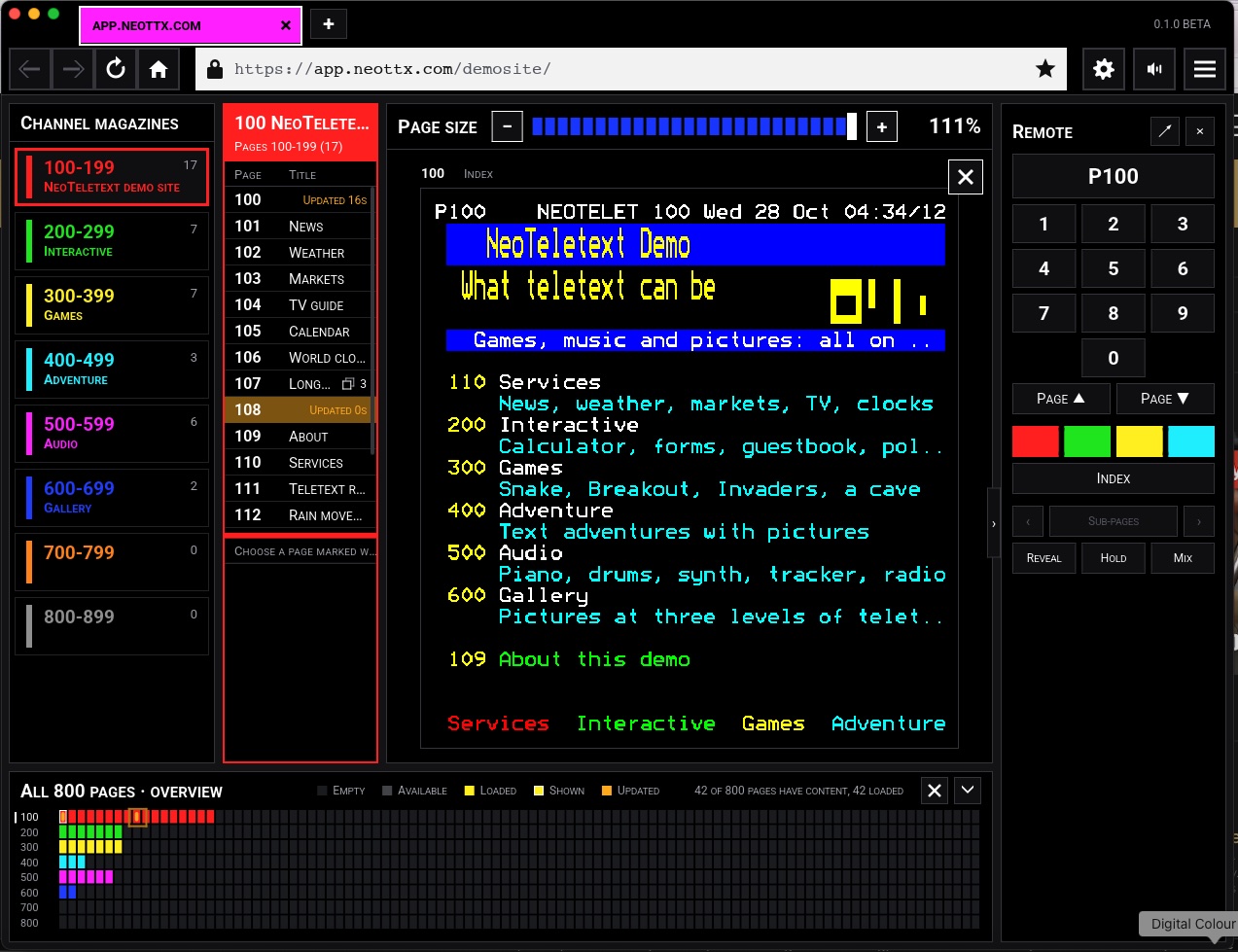
Key in a page number to go straight to it.
WHAT IS IT101
Teletext was television's information service. From the 1970s, pages of news, sport, weather and TV listings travelled hidden inside the broadcast picture. You keyed a page number into the remote, waited for it to come round, and read.
Teletext's pages were small, fast, calm and easy to read. NeoTeletext brings them to the internet.
A teletext channel is now a place on the web: a server publishes pages, and they arrive and change live as the channel updates them. Channels can be interactive too, with pages you type into.
NeoTeletext is the browser for those channels. Each page is decoded to the teletext standard, ETSI EN 300 706, and drawn as a television drew it.
It plays teletext recorded off air as well: T42 recordings, transport streams and folders of TTI page files.
WHAT IT DOES200
- Tabs and windows. Each tab is one channel; drag tabs between windows.
- Key in a page number, 100 to 899, as on a television.
- Fastext: the red, green, yellow and cyan keys. Reveal, hold, mix and sub-pages.
- An on-screen remote control, docked at the side or floating.
- Links between pages, and out to your web browser.
- Live pages, pushed by the channel the moment they change.
- Interactive channels: type into a page, or scan a code and use your phone as the keyboard.
- Sound from channels, with each tab muted on its own.
- History, bookmarks and private tabs, and your tabs back where you left them.
- Full-screen teletext.
- Every presentation level, 1.0, 1.5, 2.5 and 3.5, in the Bedstead font, which reproduces the SAA5050 teletext character chip.
BUILT TO BE SAFE201
- No web engine, no JavaScript and no interpreter. NeoTeletext loads only teletext, and draws its whole window with its own code.
- It runs as separate programs, for decoding, fetching, the window, the keyboard, sound and updates, and locks each in a sandbox that starts from “deny everything”. A program that cannot be sandboxed does not run.
- Written in Rust, with fuzz testing of what it reads.
DOWNLOAD300
NeoTeletext 0.1.0 BETA for macOS.
NEOTELETEXT-0.1.0.DMGApple silicon and Intel · macOS 11 or later · 20.5 MB
Install
- Open the downloaded disk image.
- Open NeoTeletext. It offers to move itself into Applications.
The first time you open it
This beta is not yet notarised by Apple, so macOS says it cannot check NeoTeletext for malicious software and will not open it.
- Click Done.
- Open System Settings › Privacy & Security.
- Under Security, beside “NeoTeletext was blocked”, click Open Anyway, then confirm.
You do this once for each version.
SHA-256 of the disk image:
d834206d68f23b8b61fcaa9a36c8116c30cf93fe9159e9e95bcab8a90e228918
Tested on macOS 15. Versions for Windows and Linux are in testing.
UNDER THE HOOD400
The engine
Under NeoTeletext is a software teletext receiver written in Rust. Its core uses no heap memory and no operating system, so the same decoder runs on desktops and on microcontrollers. Its command-line program, neottx, decodes recordings and web teletext services and shows the pages in a terminal, as text or as images.
The server
NeoTeletext Server, in development, is a teletext application server. Applications publish pages to it, and it sends each viewer genuine 42-byte teletext packets: only what changed on the pages they are looking at. A recording of what a viewer receives plays in any teletext decoder.